
Description
Available to ship end of June – email for pre-order.
Note: Recent batches have a new way of accessing units and selected grains.
FX-I / FZ-I Setting for Units:
- Verify that the display is off.
- Press and hold the ZERO & PRINT keys & press the ON/Off key. Release the PRINT & ON/OFF keys while still holding the ZERO keys. Immediately press the PRINT key twice.
- The software version will be displayed for approx. one second, followed by the balance type. All display segments will then turn on.
- While holding down [RE-ZERO], press [PRINT] key.
- Enter the Function setting mode and display shows “Unit”.
- Press the [PRINT] key. “Unit g” is displayed
- By pressing [SAMPLE]key, you can select required unit
- Press [RE-ZERO] key to store each required unit.
The stabilization indicator appears when the displayed unit or mode is specified. - Press the PRINT key to store all units selected.
- Turn balance off/on to return to weighing mode.
Latest Version:
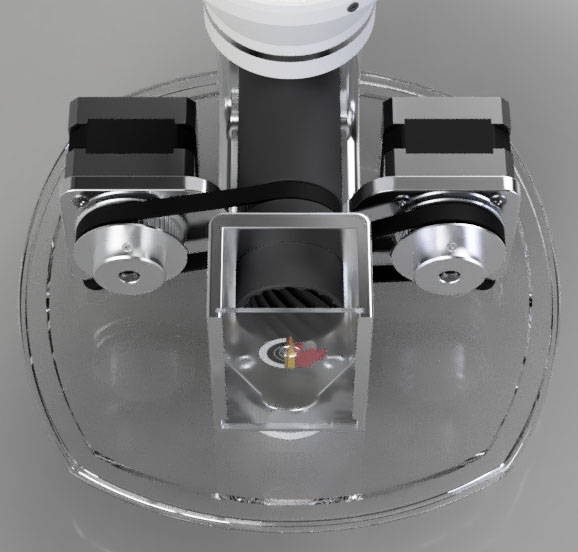
Incorporates the powder tricker with the autotlrow into one unit.
- Works with fine ball powders like CFE223 and H335
- Works with large kernel powders like N570 and H50BMG
- Maximum flow rate ~50 GN/s for large caliber rifle
- Integrated electronics and motors with fixed cabling
- Acrylic panel and silicone pads ensure assembly is stable, quiet, and level
- All commonly replaced wear parts from previous versions no longer exist
- Potential for performance improvements through app updates
- Integrates with standard A&D FX or FZ 120i, 200i, 300i, or 500i